


Introduction
There's no end of good stuff available free on the web so you'd have to be a fool to pick any one thing as the best there is. But, if you were stupid enough to delete an irreplaceable file and then found yourself able to recover it with a little bit of software that's free to download, you might, like Bob Crabtree, ignore cold logic and make a forceful nomination for the title of Best Free Utility on the Internet.
Have you ever deleted a file you really didn't mean to - an important or totally irreplaceable file? Well, smarty-pants, most of us have and then either written it off to experience or paid out whatever it took to get it back, either buying recovery software and sweating blood ourselves or paying an expert to do the job.
For novice users of Windows, it's not easy to accidentally delete a file. The operating system treats them as idiots and doesn't let them zap anything at the first attempt - it merely moves the selected item(s) to the Recycle Bin, and only does so after asking politely if they're sure they want to do that - and even then only makes the move after the Yes button has been pressed.
It also double-checks if the you try to delete anything that's within the Recycle Bin - whether you've browsing inside it or have right-clicked on it and choosen the Empty option.
So, novices users are offered some protection against permanently erasing files - if they're more than half awake and read the dialogues that Windows puts up in front of them.
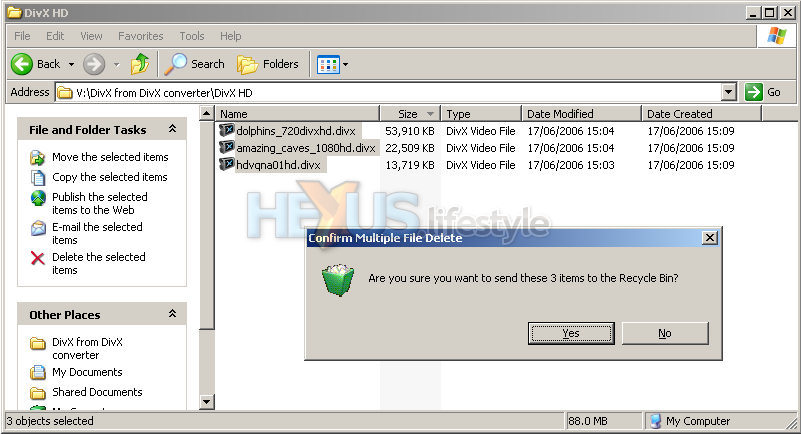 Windows treats users as though
they're stupid
Windows treats users as though
they're stupidIt's the same for experts, of course, but they know they're being treated like idiots and don't like it. So, many of them do their deleting a slightly different way.
What they do is hold down the shift key before they press delete. This does still bring up an "are you sure?" dialogue but one that makes no mention of the Recycle Bin. That's because, when working this way, the file will be DELETED if you select Yes.
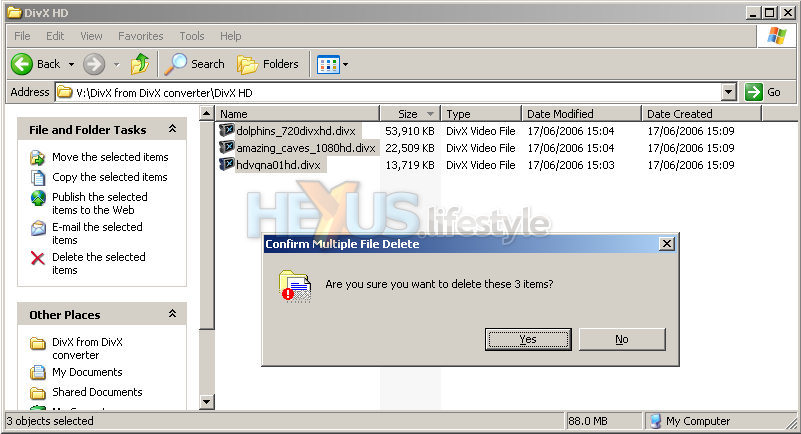 But even knowledgeable Windows
users can do stupid things
But even knowledgeable Windows
users can do stupid thingsSo, there's no point looking in the Recycle Bin (yes, we'd do that anyway, too!). But the file's not going to be there. It's lost for ever. It is an ex-file.
Well, actually, no it's not. The file is still in the same place (or places) it was on the hard disk. It's just that its entry in the operating system's file index has been changed. As far as Windows - and the programs running on it - are concerned, the space that file occupies is now up for grabs and can be written to as needed.
Windows gives users no way of re-writing the index so that the file returns. Nor should it. To do that risks corrupting any file that might have overwritten the file you want to recover - and that newer file might actually be even more important.
Well bad things do happen but that doesn't mean you have to accept your fate and get on with the rest of your life. There are applications that can do for you what Windows won't.
 All gone. But not necessarily lost
More or less, that is. What such programs do is check to find out how good a chance you have of recovering the file and offer to recover it for you. Usually, if they're any good at all, they'll suggest that you select to recover to a different drive from where the deleted files reside.
To do otherwise risks failure through the possibility of the recovered version overwriting the original and preventing part of it being read.
Almost without exception, they all also emphasise that you should NOT go and install the recovery app on the same drive that the lost file lives on - for the same reason.
How much do these utilities cost? Well, they're available at a range of prices (some scarey, some not) and there are also companies who offer recovery services that might be able to retrieve stuff that a user's own utilities can't - and some are more affordable than others.
But, before splashing out any money, what you need to know is that there is a third way - and it's free, as we'll explain overleaf....



