


Intro & overview
It's not brand-spanking new but Pinnacle's ShowCenter 200 is now far less expensive than at launch time, so Leo Xenakis checks it out to see how well this affordable network media player brings in digital content from a PC to a living-room AV system.
Pinnacle – now owned by Avid – is best known (some might say is infamous for) its Studio line of video-editing programs. These are sold alone and also bundled with video capture devices – internal cards and external boxes.
They offer probably the most user-friendly interface yet seen on any video editing app but have been irritatingly bug-ridden for years, especially when it comes to their DVD authoring tools. Also prominent in the company's range is the PCTV family of internal and external TV tuners.
In Q1 of this year, Pinnacle's hardware range was further extended by the addition of two network music players sourced from Roku - SoundBridge and SoundBridge Radio - and detailed in this press release.
But what we're looking at today is a product that's been around for a while, Pinnacle's ShowCenter 200. The company calls it a media streamer but it's what we'd call a network media player. If you're an Xbox 360 owner, though, you'll probably think of it as a media extender.
This set-top box has a similar footprint to many hi-fi-separates - it's 300(w) x 230(d) x 40(h)mm - and is designed to connect wirelessly (802.11b/g) or via cable (10/100-Base-T Ethernet) to one or more networked Windows PCs (XP or Win 2K). The ShowCenter pulls over their multimedia content so that it can be enjoyed on a living-room or bedroom TV set or audio system.
With a ShowCenter, you can curl up on the sofa or lay in bed and watch on TV the videos or stills stored on your PCs and listen to your computer-based digital music collection playing out of your hi-fi system or TV set.
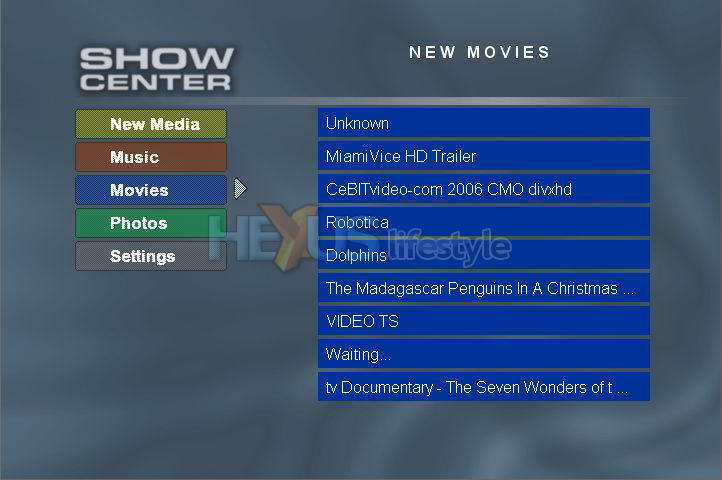 ShowCenter's TV front-end makes
it easy
ShowCenter's TV front-end makes
it easy
to pick and choose from your sofa (click for larger image)
So, unlike a media server, it doesn't store anything. Instead, it streams content in real time from where it's sitting on networked PCs.
These need to have installed Pinnacle's ShowCenter MediaManager software and the associated ShowCenter Server application that dishes up what the ShowCenter hardware requests - in response to the choices you make with the supplied IR handset.
The product - now available for under £120 all up if you hunt around (we used DealTime) but sold directly by Pinnacle for £188 - is a successor to Pinnacle's original ShowCenter, which was introduced in early 2004 at £200.
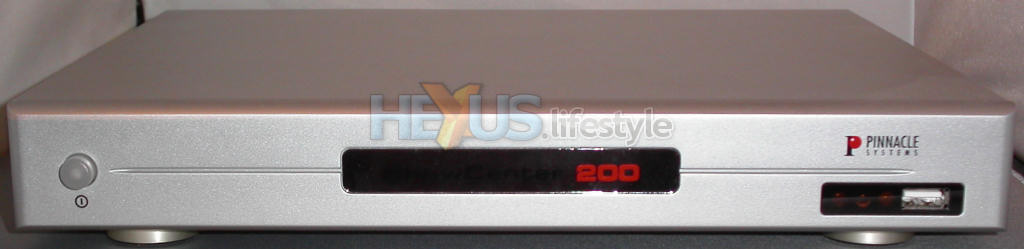
As you can see from shots below, the ShowCenter has a single push-button at the front for power and a decent array of outputs around the back. Not so obvious, at front right, is the USB socket for playback from directly connected devices, such as digital stills cameras, memory sticks and hard disc drives.
The USB port only supports USB mass storage devices that are formatted as FAT32 and consume less than 500mA (or are mains-powered). And, it can't be used to play back DRM-protected content, such as you find on music files stored on an iPod and bought from Apple's iTunes Store.
The front also carries LEDs alongside the USB port - showing standby and power-on modes and when newly imported media files are ready for playback. Also worth noting (but not shown) - the ShowCenter has to be set up to play either PAL footage or NTSC and this is set from a switch on the underside of the box.
Around the back, there is a single Scart AV-out socket supporting composite video, S-video, RGB and L/R audio. In addition there are number of dedicated outputs - for S-video, composite video, component video (three phonos and used for high-def or PAL progressive), analogue L/R audio (two pairs) and two sockets for digital optical stereo audio, one Toslink, the other S/PDIF.
The rear socket at far left is for Ethernet (a stub aerial for WiFi screws on directly above it) and the one at the right is for mains input - there is, thankfully, no need for an external mains adaptor.
 Click for larger image
 Click for larger image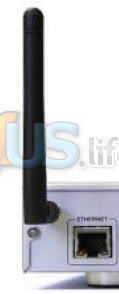
Our examination continues over the page with what comes in the box - and that turns out to be everything you need to get started...



